Every change waits for your yes. Emails, posts, payments and file changes stop with exactly what will happen in front of you.
Connect your tools
GitHub, Slack, Notion and Linear in one click, or any MCP server. Keys stay in your OS.
 v0.11.20 · Public beta
Answer the email, find the time, write it up, sort the bills. Agents do it in your apps, on your own computer, and nothing goes out until you say yes.
Change one base URL and every call to all four providers says which model answered and what it cost.
Every change waits for your yes. Emails, posts, payments and file changes stop with exactly what will happen in front of you.
Hand an agent a whole job. It writes a plan, you approve it, and it works in the background, then brings the result back for review.
Real files, not just replies. PDF and Word reports, slide decks and spreadsheets land in your Library, with a canvas beside the chat for changes.
Memory that stays on your computer. Everything your agents remember, where each note came from, and a search across all of it.
Inbox drafts the replies that need you. Nothing is sent until you approve it.
Calendar reads the thread, checks your calendar and sends the invite when you say yes.
Writer turns rough notes into a summary: what was decided, who does what, and by when.
Research compares the options, then recommends one. Accepting it waits for you.
Bills reads the receipts in your email, spots the price rise and drafts the cancellation for your yes.
Pipeline drafts each reply from your call notes. Nothing is sent until you approve it.
Help Desk drafts the routine replies and puts the urgent one in front of you.
Ledger checks payouts against the bank and finds the duplicate charge. The refund waits for your yes.
Campaigns reads what shipped, writes the post and adds it to your content calendar as a draft.
GitHub, Slack, Notion and Linear in one click, or any MCP server. Keys stay in your OS.
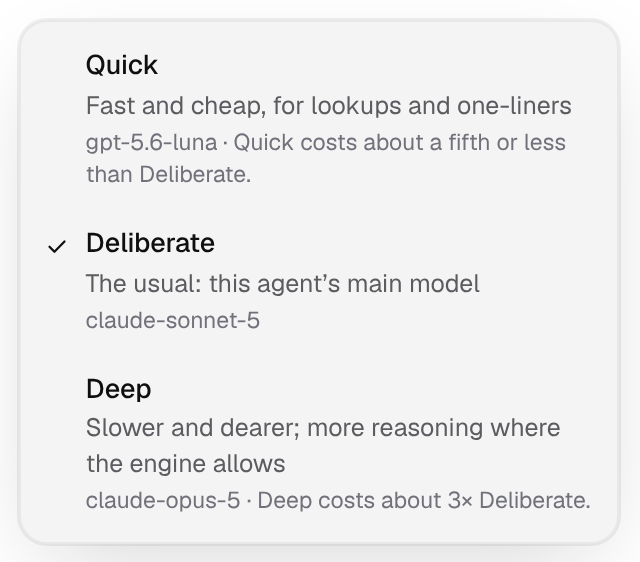
Write it in plain language, then pick Quick, Deliberate or Deep and read its reasoning.
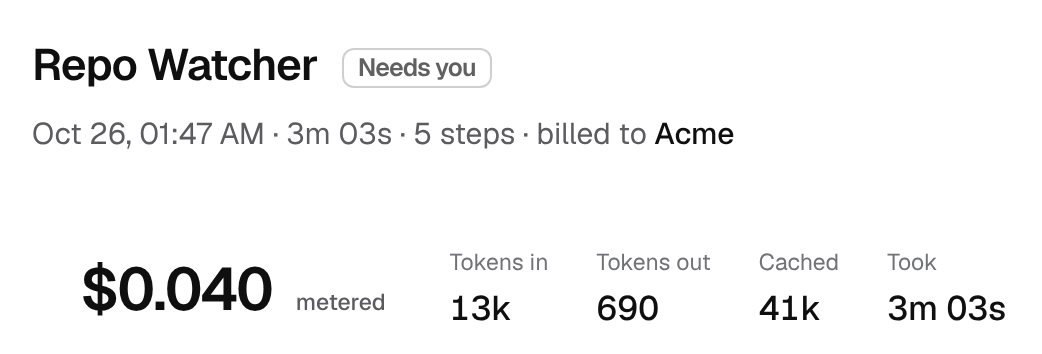
Changes wait for your yes. Every run ends with its steps, tokens and cost, billed to the right client.
Lobstack 0.11.18: new agents start from what you want done, every agent gets its own approval rules, and every reply says which model answered and why.
Read the post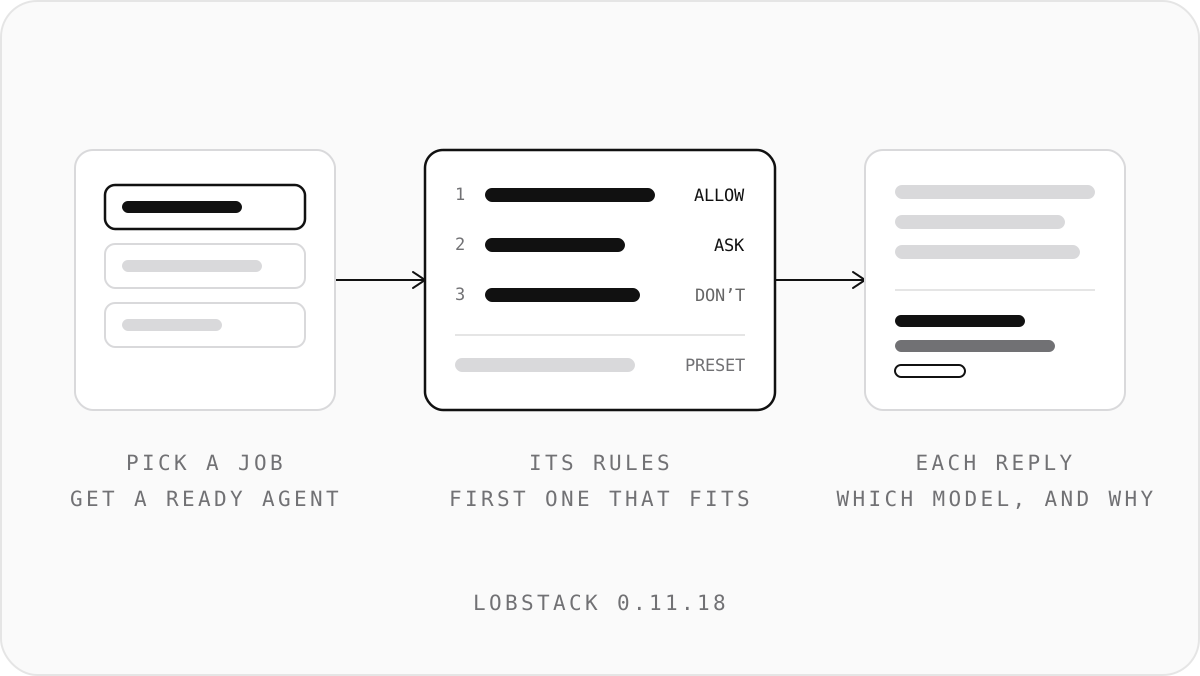
Choose hardware, a tool-calling model, and a local runtime, then wire an agent loop with validation, approval gates, and evaluation.
Read the post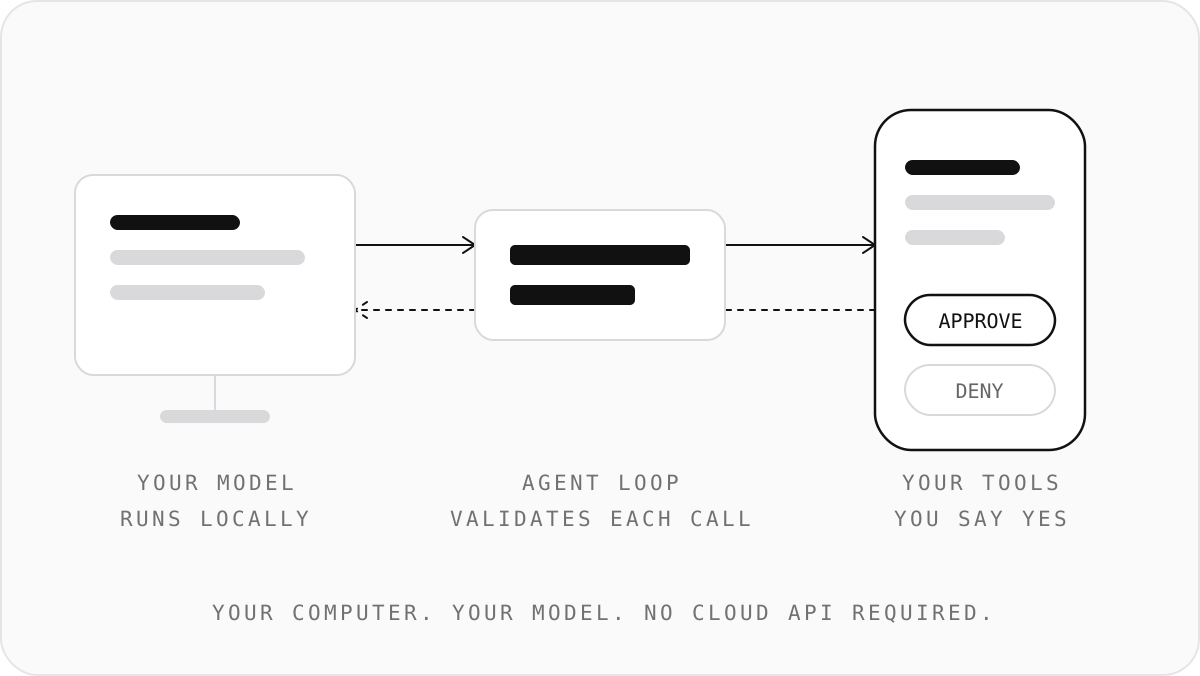
ASI is the direction AI is going. Lobstack builds the part that keeps a person in charge, and every model now comes from a US company.
Read the post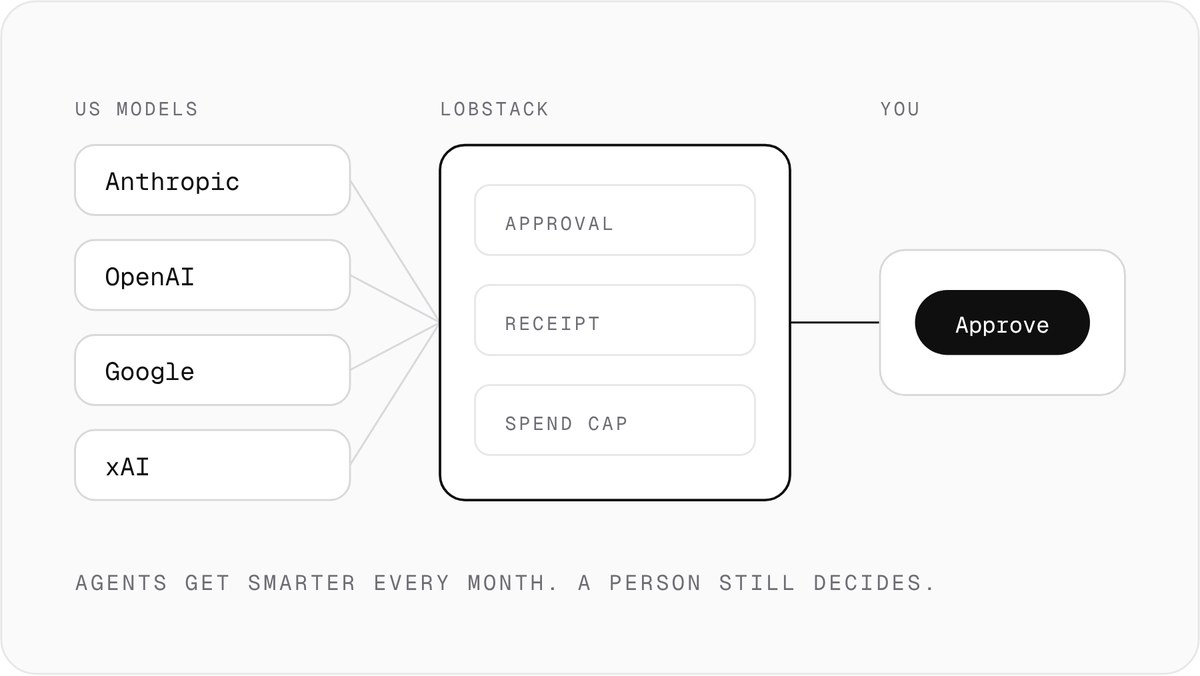
Prompts go to the model and connector traffic to its service. Everything else stays with you.
Workspace, vault, sessions and logs stay on your computer.
Encrypted, with the key in Credential Manager, Keychain or Secret Service.
No analytics. A report leaves only when you press Send.
Put the Gateway in any agent
$ npx -y @lobstack-ai/mcp71 connectors · plus any MCP server
Each one is a SKILL.md you can read and edit
Browse the skills71 starter skills · one for every team
Oct 24, 2026 · App 0.11.20
Name two agents: the first hands its work to the next.
Oct 22, 2026 · App 0.11.19
0.11.18 opened without its styles. 0.11.19 restores them.
Oct 22, 2026 · App 0.11.18
Ready agents, approval rules, and why each model answered.
Oct 20, 2026 · App 0.11.17
See who is working at a glance. Keys stay in your system’s store.
Free to download. A new account from the app adds $5 of credit for 30 days. After that it stays free with your own provider key or GitHub Copilot. Or use a paid plan.
No. It uses the Lobstack API by default, with a receipt for every call. GitHub Copilot or your own provider key also work, and neither needs a Lobstack account.
Your computer. Workspace, vault, sessions and logs: one folder on your disk. Prompts go to the model, connector traffic to its service. There is no telemetry or analytics. A report leaves your computer only when you press Send.
Encrypted, with the key in your operating system’s credential store: Credential Manager, Keychain or Secret Service. Secrets never enter the database, and values are redacted as they are written.
It is a public beta. The Mac app is signed and notarized by Apple and opens normally. The Windows installer is signed with a verified publisher; while the certificate is new, SmartScreen may still ask once: choose More info, then Run anyway.
No. The app’s repository is private. What you can check instead: the installers are signed, the security docs list every control and its state, and every call comes back with a receipt. The npm packages and the developer skill files are MIT.
Anyone who needs a SOC 2 report or single sign-on today: neither exists yet. Anyone who needs the app’s source, or a model from outside Anthropic, OpenAI, Google and xAI.