 Lobstack
How to Build a Local AI Agent Without Cloud APIs
Choose hardware, a tool-calling model, and a local runtime, then wire an agent loop with validation, approval gates, and evaluation.
Key takeaways
- A local agent requires a GPU with at least 8 GB of VRAM to handle the model and the growing context window from tool calls.
- Tool-calling reliability matters more than benchmark scores, so test models against your actual tools rather than leaderboard numbers.
- Ollama provides the easiest setup for local agents, while llama.cpp and vLLM offer more control for specific hardware configurations.
- Treat every tool call as untrusted input by validating schemas, dry-running destructive operations, and logging all arguments.
- Use a hybrid setup routing drafts locally and hard reasoning to the cloud to balance hardware costs and model quality.
Building a local AI agent means picking four things: hardware that fits a model's VRAM budget, a tool-calling model, a runtime like Ollama or llama.cpp, and a framework that handles the loop. This guide walks through each decision, then builds a working tool-calling agent on your own GPU with no paid APIs or cloud calls.
What hardware do you need to run a local AI agent?
The honest minimum is a GPU with 8 GB of VRAM and 16 GB of system RAM; 24 GB of VRAM and 32 GB of RAM is where agent work gets comfortable. The agent loop, not the model, drives the requirement: every tool call round-trip re-sends your system prompt, tool schemas, and accumulated history, so context grows fast.
VRAM math for agent-sized context windows
- 8 GB VRAM: 7-8B at Q4. Tight; cap history aggressively.
- 12-16 GB VRAM: 8-14B at Q4/Q5. Comfortable for 8-16k contexts.
- 24 GB VRAM: 14-32B at Q4. Room for long tool-call traces.
A 7-8B model at Q4 quantization plus an 8k-token context needs roughly 5-6 GB; double the context and you add another 2-3 GB for KV cache. Model sizes and quantization options are listed in the Ollama library docs.
CPU-only: what still works and what doesn't
CPU inference on a 7-8B model runs at single-digit tokens per second on typical consumer hardware. That's tolerable for one-shot chat, painful for an agent making five tool calls per task. If you're CPU-only, use a 3-4B model and keep contexts short.
Which local LLM should you pick for agent tool-calling?
Why tool-calling quality matters more than benchmark scores
A model that scores well on MMLU can still mangle a function call: wrong argument names, invented parameters, or prose where JSON belongs. In an agent loop, one malformed call breaks the whole run. Test candidates against your actual tools, not leaderboard numbers. A quick check: give the model three tools and a prompt that needs two of them, then inspect the raw output for valid, parseable calls.
Model matrix: size, VRAM, tool-calling reliability
Rough guidance at three sizes:
- ~7B (Qwen2.5-7B-Instruct class): runs on 8 GB VRAM quantized. Tool calls work for simple schemas but degrade with five or more tools or nested arguments.
- ~14B: the practical sweet spot on a 12-16 GB card. Handles multi-tool selection and argument filling reliably enough for a real loop.
- ~32B: needs roughly 24 GB VRAM (or split across two cards). This is where complex, multi-step tool chains stop needing retries.
Two honest caveats about our own stack: Lobstack's desktop agents are tuned around these model families, and our gateway metering logs per-call cost receipts (gateway metering), but we don't publish our own tool-calling eval numbers yet, so verify any model choice on your hardware before committing.
Ollama, llama.cpp, or vLLM: which runtime fits an agent workload?
Setup friction is where these three diverge most. Ollama installs as a single binary and runs as a background service, so it works on Windows machines with no Docker and no admin rights. llama.cpp needs you to clone and compile, but prebuilt binaries exist, and its built-in server mode now supports tool calling directly (llama.cpp on GitHub). vLLM assumes Linux, a CUDA toolchain, and root-adjacent permissions, which rules out most consumer Windows boxes entirely.
Windows without Docker or admin rights
On a locked-down Windows laptop, Ollama is the practical default: one installer, no container, no system Python. llama.cpp's prebuilt Windows binaries are a close second if you want finer control over context size and sampling. vLLM is a non-starter here.
Which one exposes an OpenAI-compatible base URL
All three do: Ollama serves /v1/chat/completions, llama.cpp's server mirrors the same schema, and vLLM is OpenAI-compatible by design. That means your tool-calling loop points at whichever runtime you pick with just a changed base URL, and swapping later touches one config line. The same pattern is how Lobstack routes calls to providers like its HubSpot connector, though Lobstack is a gateway, not a runtime, so it still needs one of these underneath. For a solo agent workload, start with Ollama; move to vLLM only when concurrent requests from multiple clients matter.
How do you wire a tool-calling loop to a local model?
Defining tools the model can't misuse
Give each tool a narrow schema: name, description, and JSON parameters with types and required fields. The description matters more than you'd think, because a 7B model will misuse a tool whose description is vague. Validate every call against the schema before execution and reject anything with extra fields, wrong types, or missing values. A tool that reads files should take a path and nothing else; a tool that sends an email should never accept arbitrary shell commands.
The loop: call, parse, execute, confirm, repeat
The loop itself is five steps: send the conversation and tool definitions to your local model, parse the tool call out of the response, validate it, execute it, and append the result as a tool message before looping again. Cap the loop at a fixed number of iterations, say ten, so a confused model can't spin forever. When parsing fails, don't crash; return an error message as the tool result so the model can retry with corrected arguments. This error-as-feedback pattern is what separates an agent that recovers from one that dies on the first malformed JSON.
Here's the part most tutorials skip: the model's tool call is a suggestion, not an action. Your code owns execution, which means your code can refuse it. Treat every tool call as untrusted input from a component that hallucinates paths, invents parameter values, and occasionally decides to delete things you didn't authorize. Validate the path exists before reading it, check the recipient before sending, dry-run destructive operations, and log every call with its arguments so you can audit what the model actually tried to do. A local model is convenient precisely because it can't phone home, but it's also dumber than the frontier APIs, so the guardrails have to live in your loop, not in the model's judgment.
Human-in-the-loop: ask before they act
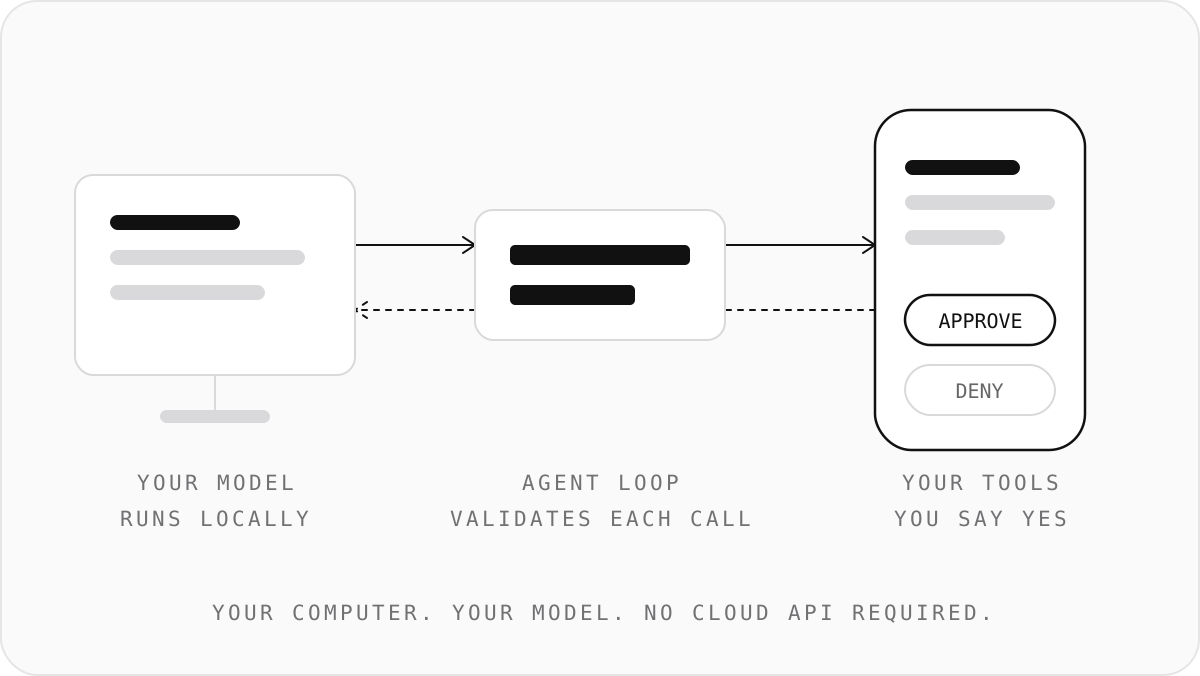
Split your tools into two classes: safe and gated. Reads, searches, and calculations run automatically; writes, deletes, and anything with side effects wait for your yes. When a gated call comes in, print the tool name, the full arguments, and which model produced them, then block on explicit approval before executing. This is the same pattern Lobstack uses on the desktop: agents do real work on your machine but ask before they act, and the API returns a receipt showing which model answered and what the call cost. The same approval gate works whether the tool is a local script or a connector like the Cal.com scheduling integration, where booking a meeting on someone's calendar should never happen without a confirmation.
Which open-source agent frameworks work fully offline?
Criteria: offline, no telemetry, bring your own model
Judge a framework on four things: it runs with no network after you pull weights, it ships no phone-home by default, it accepts your model via an OpenAI-compatible base URL, and it pauses for your yes before executing a tool. Most agent scaffolds assume a hosted API, so the third criterion is the filter that kills half the list. vLLM exposes an OpenAI-compatible server with tool-calling support, so any framework speaking that protocol can point at it (vLLM docs). In practice you have three honest options: roll your own loop around the chat completions endpoint, run LiteLLM as a proxy that normalizes tool calls across local runtimes, or use a desktop agent that executes on your machine. LiteLLM gives you the one-endpoint abstraction but not the execution layer. Desktop agents give execution but vary on platform support: one open-source option documents that Windows works best, macOS is an early beta, and there is no Linux build yet.
Running the same criteria over Lobstack honestly
Lobstack runs agents locally and asks before each action, and its gateway returns a per-call receipt showing which model answered and what it cost. Where it falls short on its own criteria: the desktop agent layer is not the open-source, bring-any-model scaffold this section describes, and the gateway is a paid endpoint at $29/mo on the Developer plan rather than a free local runtime. If your agent only needs to act on one app, a narrow connector like Lobstack's Todoist connector covers more ground than a general framework half-wired. If you want fully offline and free, the roll-your-own loop over vLLM remains the baseline.
How do you evaluate whether your local agent actually works before shipping it?
Score four things before you call it done: tool-call validity rate, end-to-end latency, tokens per task, and whether the loop recovers when a call fails. A model that parses your schema 95% of the time is unusable if the other 5% crashes the loop. Check each model's card for confirmed tool-calling support before benchmarking, since parameter count alone tells you nothing about it; the Hugging Face model cards for Qwen, Llama, and Mistral releases list chat templates and function-calling notes.
Track per-call cost even when the model is free
"Free" inference still costs tokens and seconds. Log prompt tokens, completion tokens, and wall-clock time per call, even against Ollama on localhost. When you later point the same client at a hosted endpoint or an OpenAI-compatible gateway, you already have the spend spreadsheet most builders build by hand.
A minimal eval harness you can write in an afternoon
Write twenty fixed tasks, run them nightly, and diff the outputs. Any regression in tool-call validity or latency shows up as a diff, not a bug report from yourself in three weeks.
When is a local agent the wrong choice versus a cloud API?
Go cloud when your model quality ceiling matters more than your hardware budget. A 7B or 13B local model handles drafts and simple tool calls; it will not match frontier hosted models on multi-step reasoning or long-context extraction. If a task fails twice with a local model, price the hosted call against the GPU upgrade instead.
Hardware cost is the other trigger. Running a serious local model needs a GPU with enough VRAM, and if you already pay rent for that machine, a hosted endpoint priced per call can be cheaper than the upgrade.
Latency is the one place local wins outright: no network round trip, no rate limits, works offline.
Hybrid setups: local for drafts, cloud for hard calls
Route by task difficulty. Drafts, classification, and cheap tool calls stay local; hard reasoning calls go to a hosted model. One OpenAI-compatible base URL over both means you swap models by changing a model name, not an SDK, and per-call receipts show what each decision cost. For a solo builder, that hybrid split is usually the honest answer to "local or cloud": both, routed per call.
FAQ
How do I make a local AI agent without Docker or admin rights on Windows?
Install Ollama: it ships as a single binary, runs as a background service, and needs no container, no system Python, and no elevated permissions. Point your tool-calling loop at its OpenAI-compatible /v1/chat/completions endpoint. llama.cpp's prebuilt Windows binaries are the fallback if you want direct control over context size and sampling.
What is the best local AI coding agent that runs on my own model?
There is no single best one. Judge candidates on whether they accept an OpenAI-compatible base URL, run offline, and pause before executing tools. Most scaffolds assume hosted APIs, so that first filter eliminates half the list. Your honest options are rolling your own loop, using LiteLLM as a proxy, or running a desktop agent that executes locally.
Can I build a free local AI agent automation with no paid APIs?
Yes. Ollama or llama.cpp serving a quantized 7-14B model on hardware you already own costs nothing per call, and a hand-rolled loop over the chat completions endpoint needs no framework or subscription. Free inference still costs tokens and seconds, so log prompt tokens, completion tokens, and wall-clock time per call from day one.
Where can I find a local AI agent GitHub project to start from?
Start with the Ollama repository and llama.cpp on GitHub; both document tool-calling support and quantized model options. Check the Hugging Face model cards for Qwen, Llama, and Mistral releases to confirm a model's chat template and function-calling notes before building on it. Then write the five-step loop yourself rather than inheriting someone else's assumptions.
How much VRAM do I need to run a local LLM agent with tool calling?
Eight GB is the floor: a 7-8B model at Q4 plus an 8k context needs roughly 5-6 GB, and agent history grows fast because every tool call round-trip resends prompts and schemas. Twelve to sixteen GB comfortably handles 8-14B models at 8-16k contexts. Twenty-four GB suits 14-32B models and long multi-step tool traces.